

Step 01 — Drop in your CV
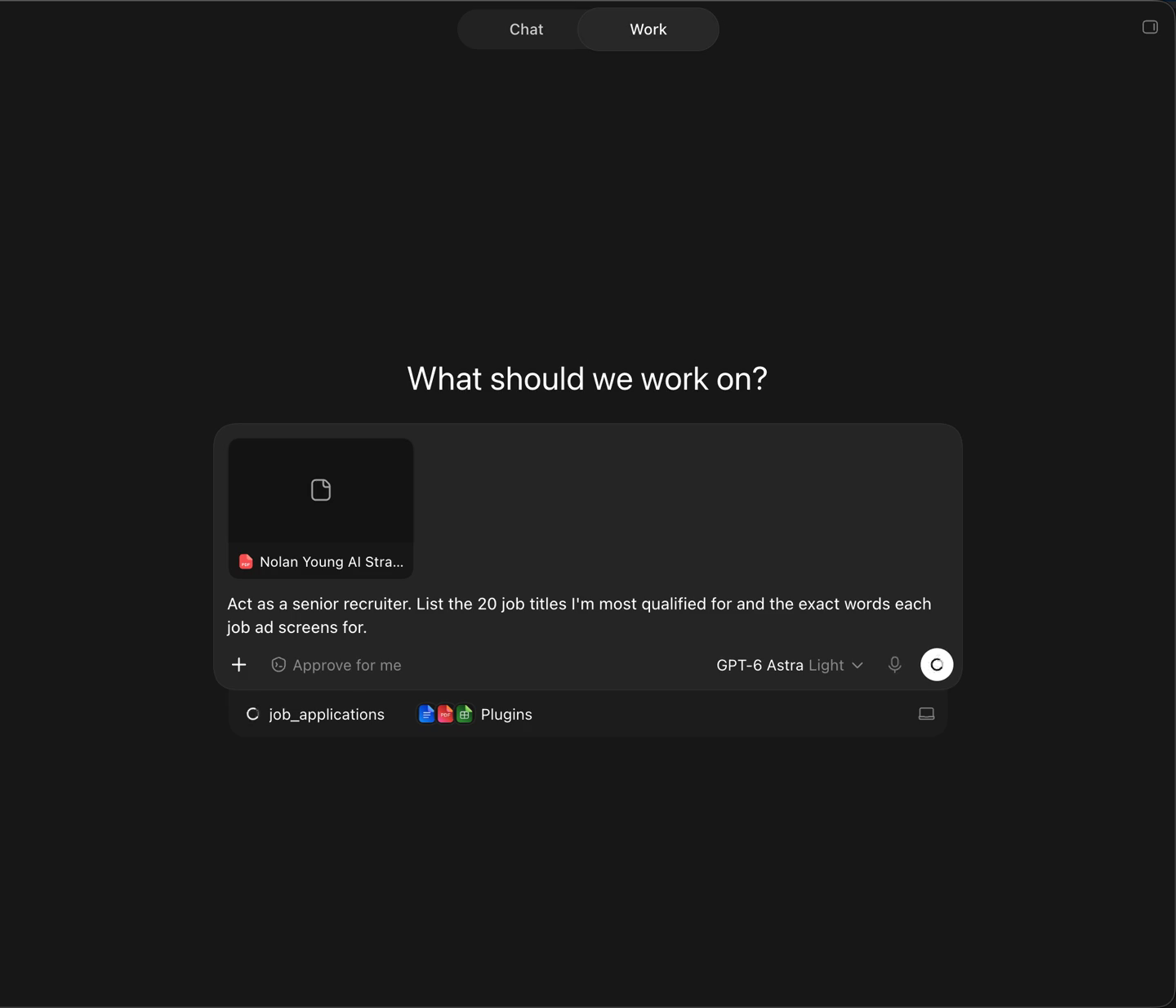
Start one chat and stay in it — every prompt after this refers back to the last answer. Attach your CV and send this:
Act as a senior recruiter. List the 20 job titles I'm most qualified for and the exact words each job ad screens for.
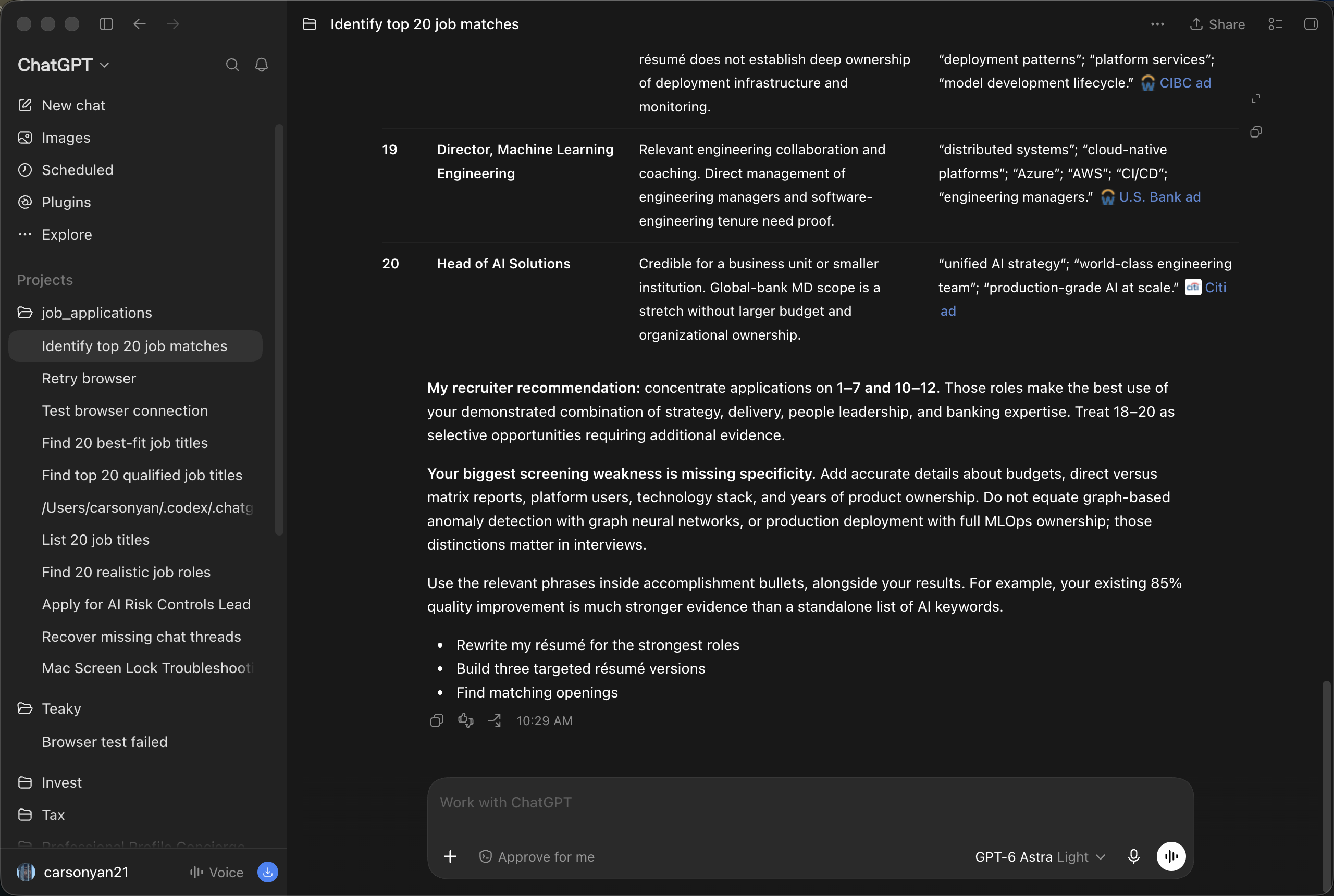
You get back a list of target roles, and the phrases that recur across those ads. The exact layout varies run to run — what matters is the words. They're the input to step 02.
Step 02 — Build the master CV
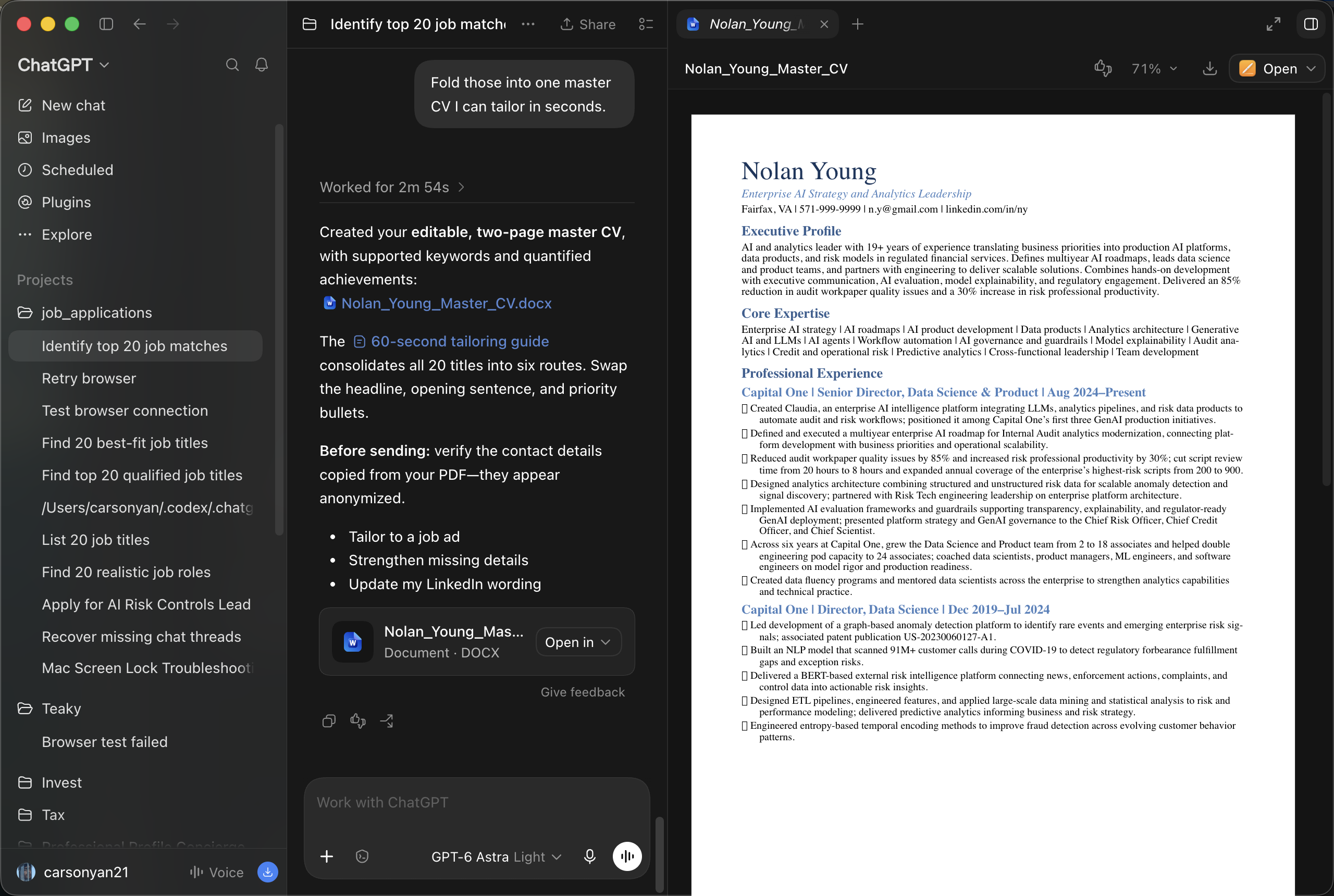
Fold those into one master CV I can tailor in seconds.
It comes back as an editable document. This isn't a one-size-fits-all CV — it's the base. It already speaks the language of your target ads, and you tweak it per posting from here.
Step 03 — Switch on the browser
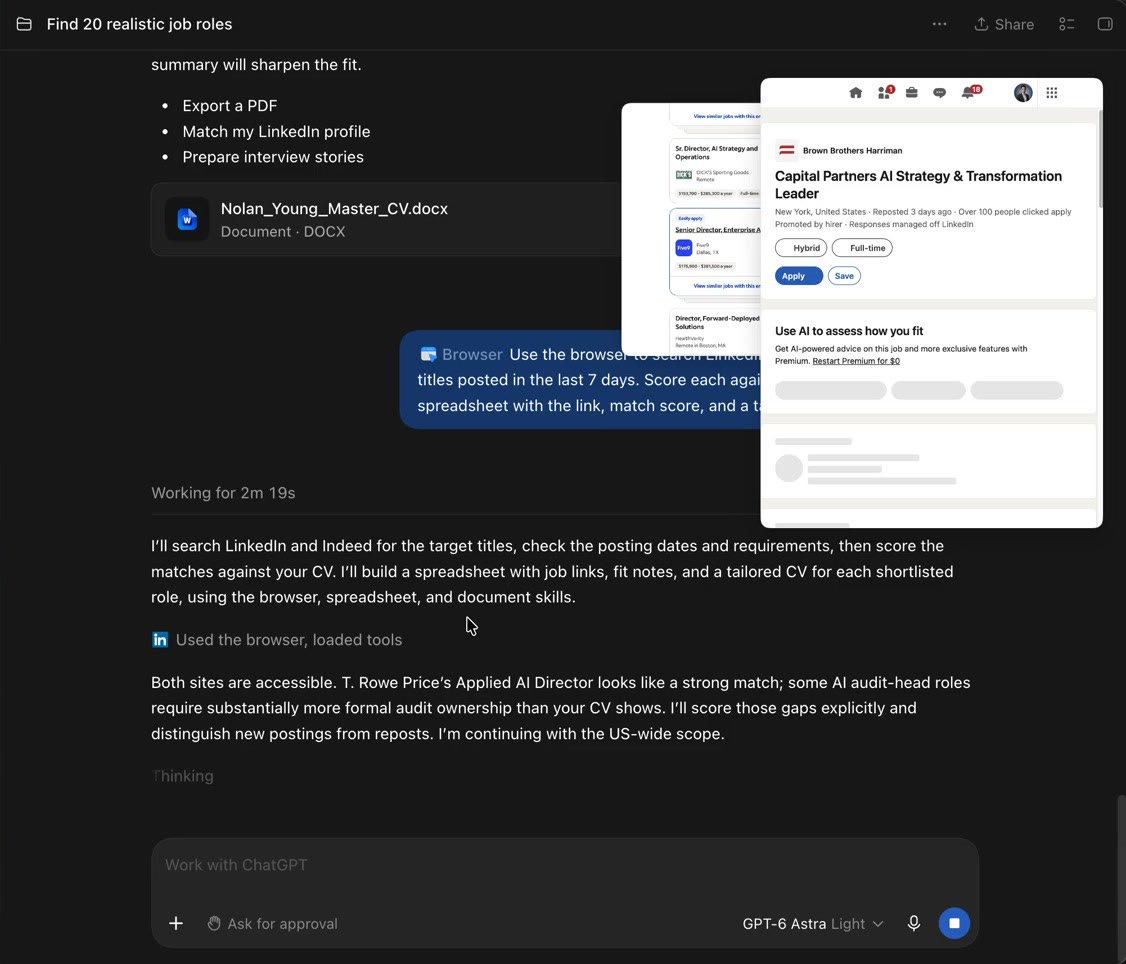
Type @browser in the composer and pick Browser — control the in-app browser. A blue pill lands in the composer and stays for the rest of the chat.
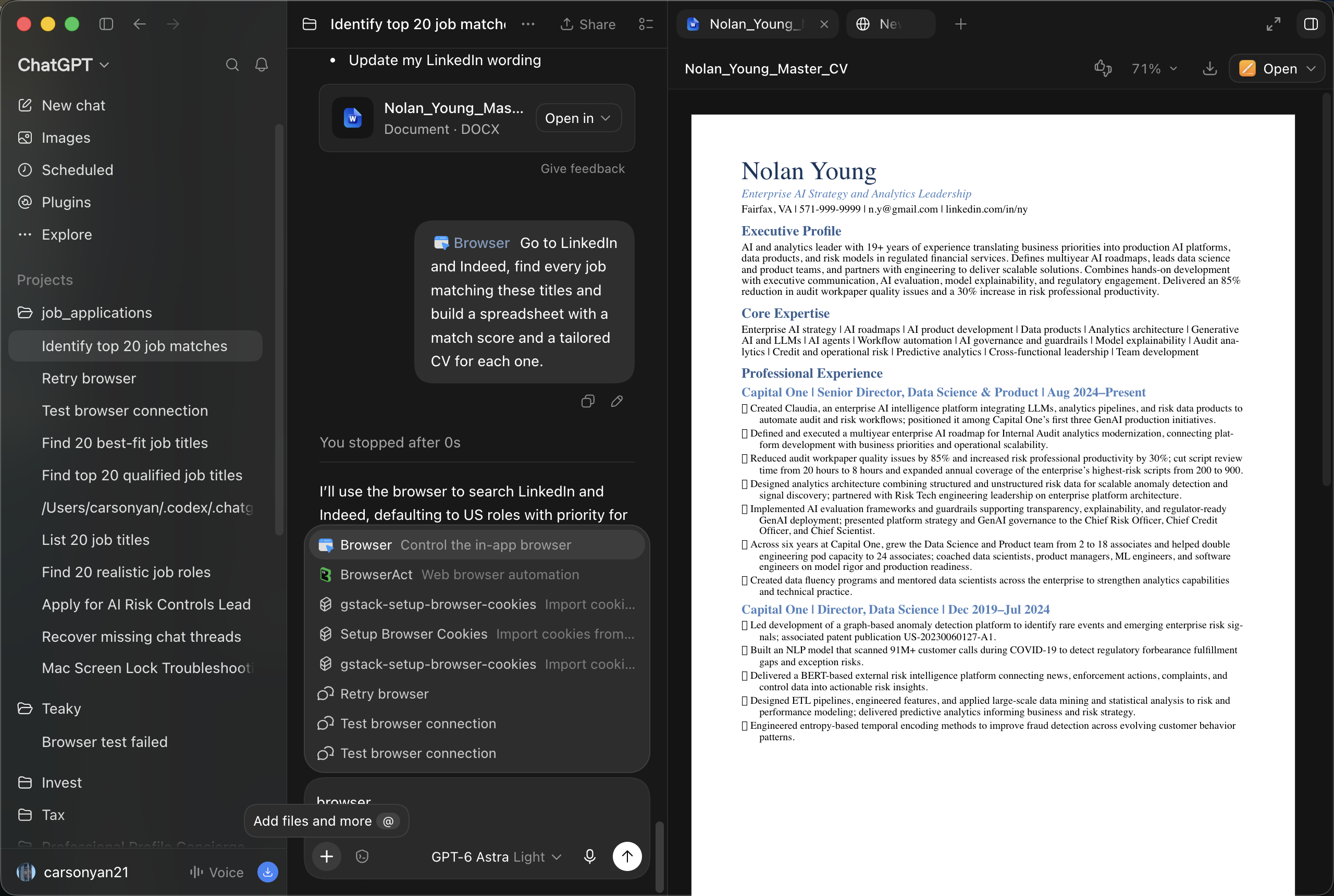
Don't skip this. Without the browser, prompt 3 still returns a confident-looking spreadsheet — of postings that don't exist.
Step 04 — Get the spreadsheet
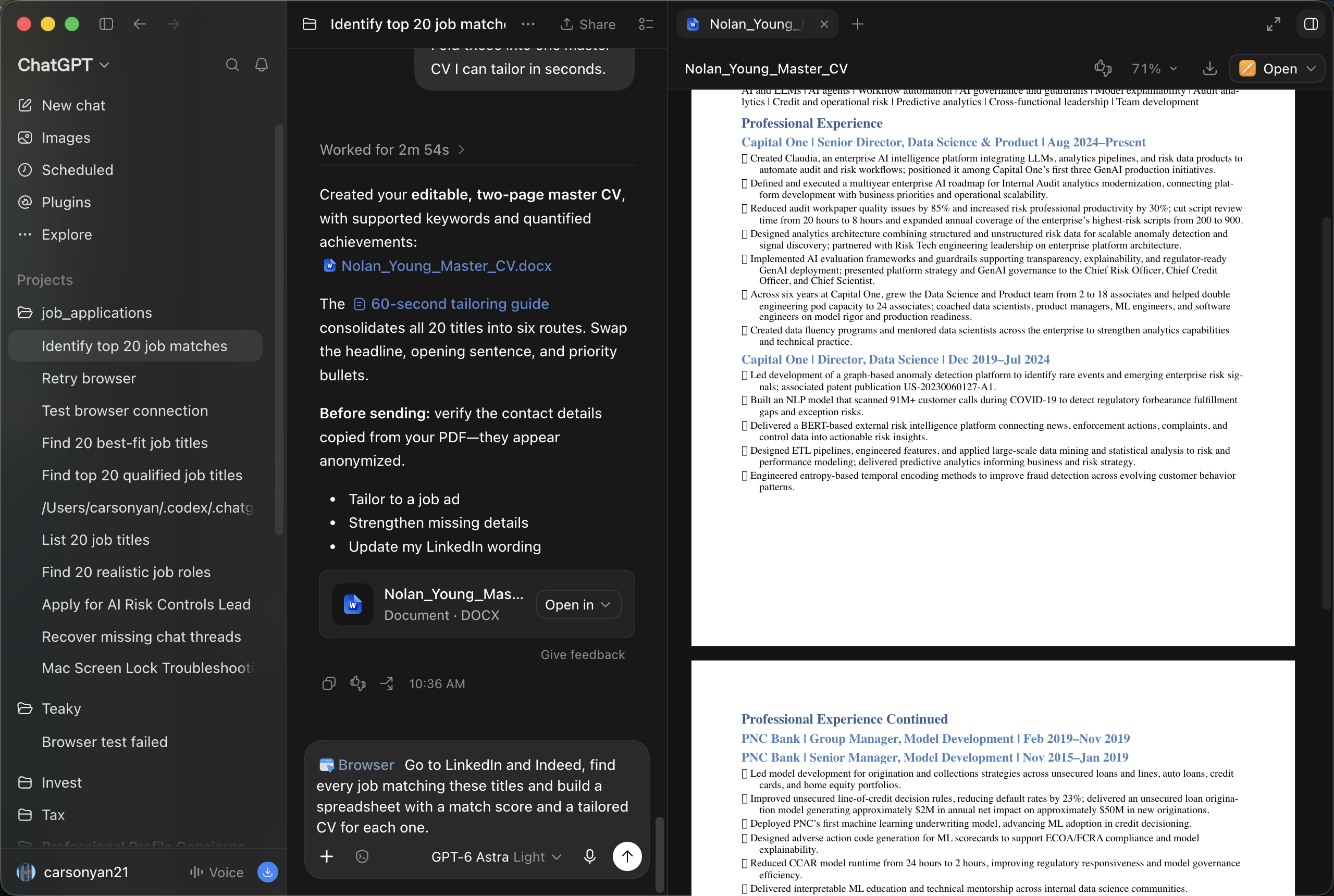
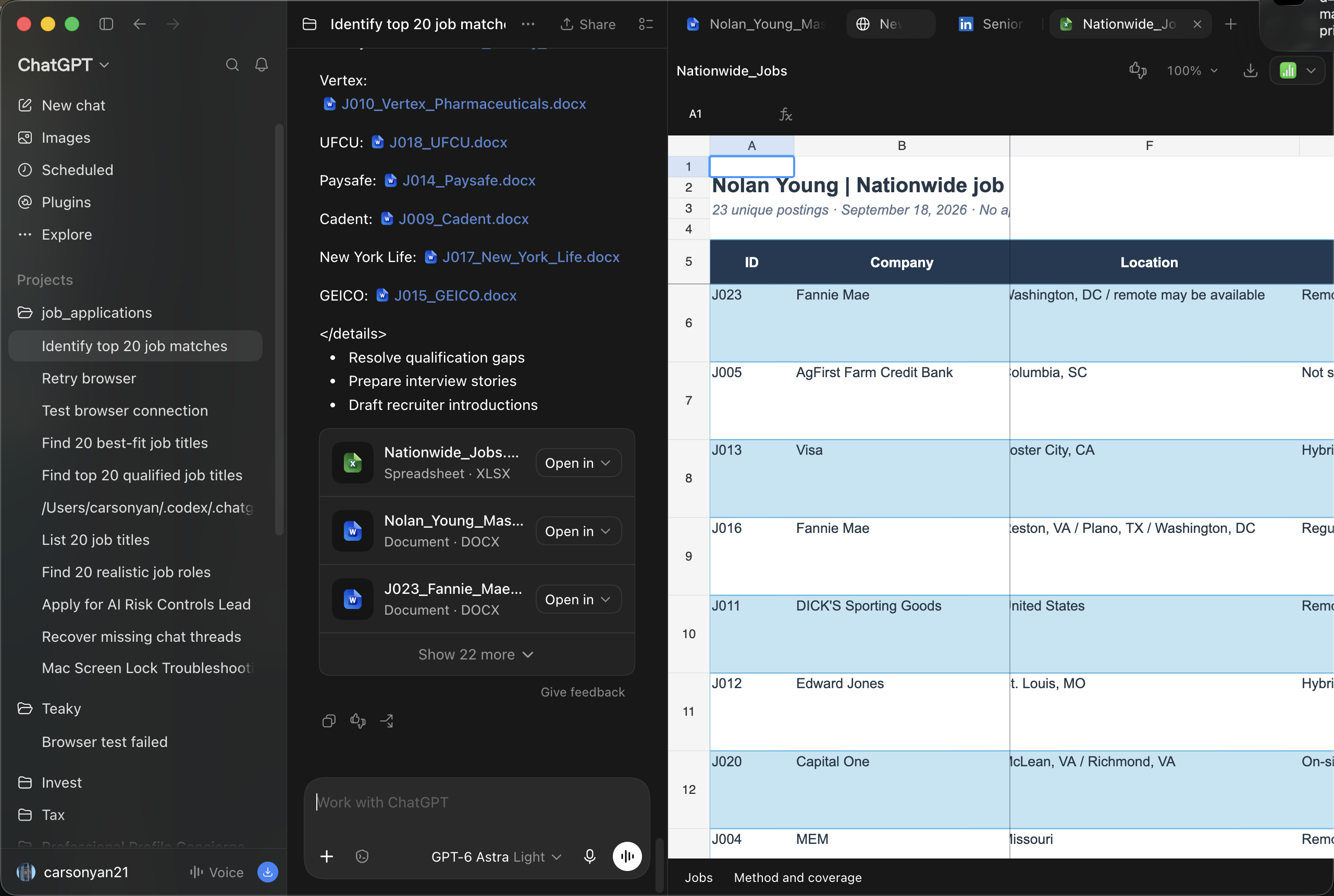
Go to LinkedIn and Indeed, find every job matching these titles and build a spreadsheet with a match score and a tailored CV for each one.
It searches the boards in front of you, then hands back one sheet with everything you need: match score, priority, job link, work eligibility, and the evidence that each posting is actually recent.
Step 05 — Let it apply
Apply to the top 100 matches, customizing every application to the job description.
That's it. It works down the sheet one job at a time while you go and have a coffee, take a break, get on with your day.
Read before you send. It fills the forms in. Submitting them should still be your call.